Microsoft Edge
Get it from the Edge store- Click Get, then Add extension.
- Open x.com. The radar shows under every post.
- Updates are automatic.
 Install
Extension for X
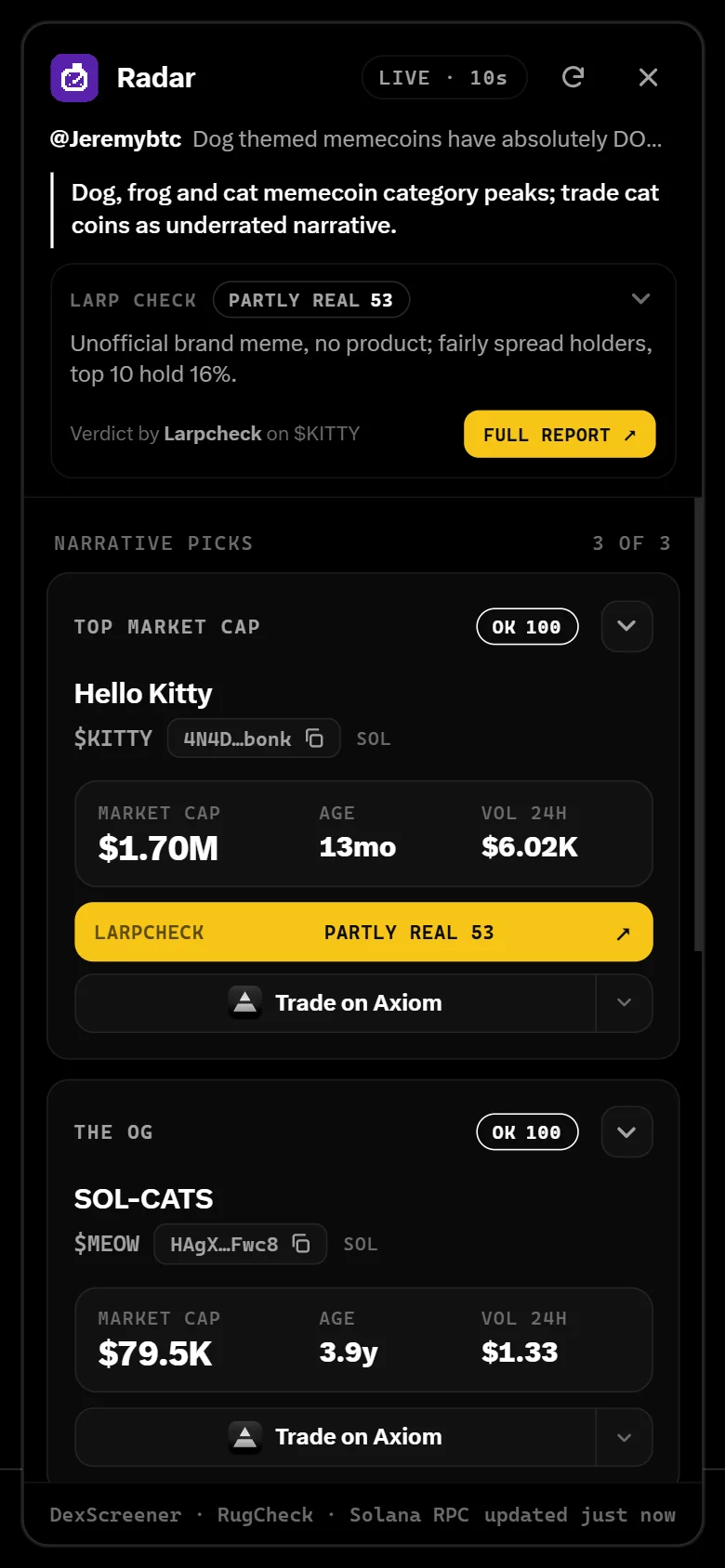
Tap the radar under a post on X. See its top coin, OG and mover with live stats and bundled supply. Or hit Instant Reroute and land on the biggest one with real holders.
On the Edge store. Works in Chrome, Brave, Firefox, Android and iPhone Safari. All installs
The Radar coin
Only posted here and on @radardotfunn. We never send a contract address by DM.
Microsoft Edge
Get it from the Edge storeChrome · Brave
Download .zipchrome://extensions.Android
tryradar.fun and tap Get it from the Edge store, then Get.Store button not working? Download the .crx and import it from the browser's Extensions menu.
iPhone · Safari
Get the free Userscripts apptryradar.fun/radar.user.js, tap the page menu at the left of the address bar, then Userscripts, then Install.Other iPhone browsers: Teak or Gear can install Radar from the Edge store.
Any browser · script
chrome://extensions and turn on Allow User Scripts.tryradar.fun/radar.user.js and click Install.Text, the author, replies, quotes, photos and video. It names the story, not the words. Tap the bell and Radar pings you when a coin launches off the post.
One tap opens the biggest coin on the post that has real holders and no rug flags. A contract in the post gets the same check.
The biggest coin on the story, the first one launched, and the one moving now, with market cap, age and volume. On Solana and Robinhood Chain.
A larp check on the post and a coin check on every coin: the author's account, the coin's links, insiders, dev holdings and bundles. Each one a single word.
Insta Buy from the card with your own wallet: one tap, approve it in your wallet, and you never leave X. Or open the coin on Axiom, Padre, Fomo or LarpCheck. Works on Robinhood Chain too, with the real cost checked first.
Paste any post link on tryradar.fun for the same coins, checks and Quick Buy. Or tag @radardotfunn under the post and the bot replies with its coins.
Hold $10 of $RADAR and check your wallet. It's a signature, not a transaction, and it can't move funds.
The coins an account has posted before, what each is worth now, and which of those posts are gone.
Tap the bell on a post, and Radar watches for 24 hours and alerts you when a coin launches off it.
Star a coin in the extension, and Radar alerts you if its post is gone, Larpcheck's verdict turns bad, or liquidity falls 30%.
When we bond, we run a DEX boost.
Not financial advice. Memecoins are extremely risky.
Real data only
Prices refresh every 10 seconds. If a number can't be read, it isn't shown. All of Radar's code is public on GitHub.